Shelf & bin order
Planogram Management
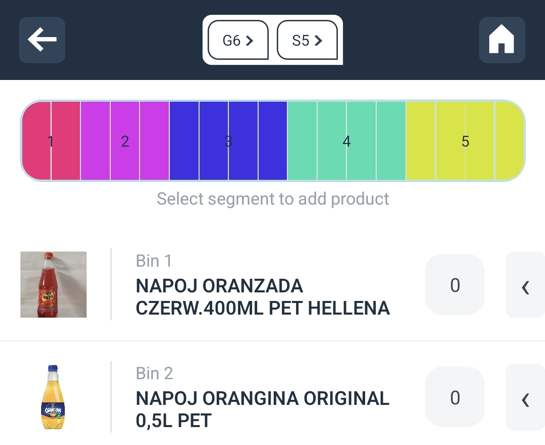
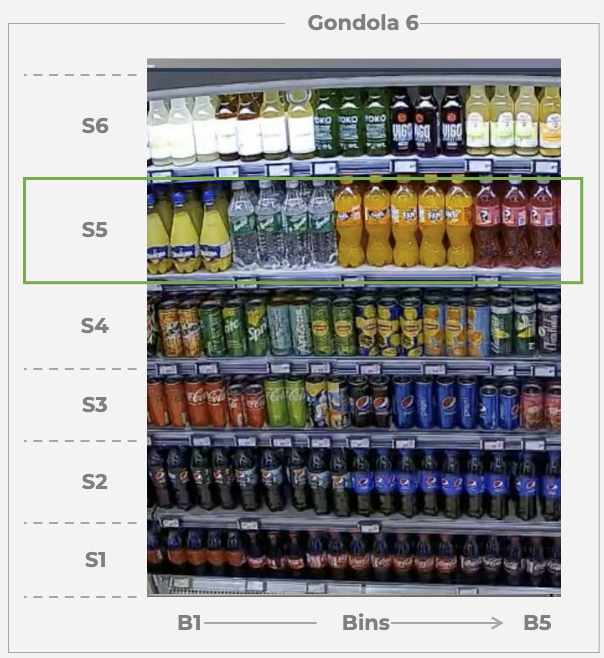
- When managing the planograms in the Operations App, please follow the sequence of shelves from bottom to top and bins from left to right, as in the provided example.
- The order of the shelves in each gondola starts with number “1” from the bottom of the shelf.
- The order of the bins on each of the shelf follows the sequence from left to right.
Shelf and Bin Order Example
When adding new products or modifying existing ones, ensure that the
order of shelves and bins is strictly followed to avoid inventory discrepancies.