Manage gondolas
Within the Operations App, you can also manage the existing gondolas, by adjusting the number of shelves and specifying their heights. As AiFi’s computer vision algorithms use the shelf dimensions to recognise products picked up by customers, be precise when defining them. Saved changes are immediately reflected in the OASIS system - make sure that they're done when there are no customers in the store.
Edit Gondola mode
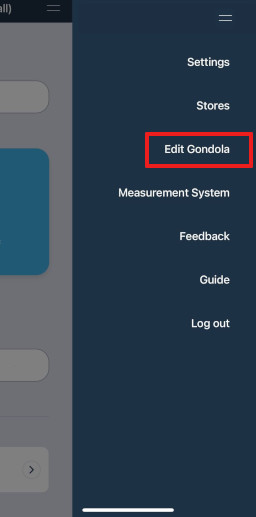
Once you select the store where you’d like to implement changes, open the Edit Gondola mode by selecting it from the right menu.
due to the sensitivity of changes, not all users have access to this mode. To enable it, please reach out to AiFi Support.
Gondola update
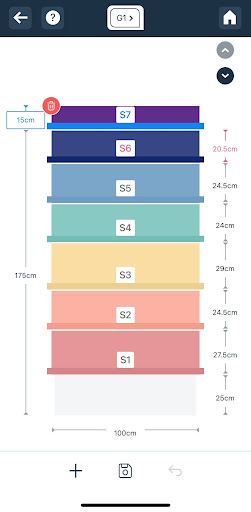
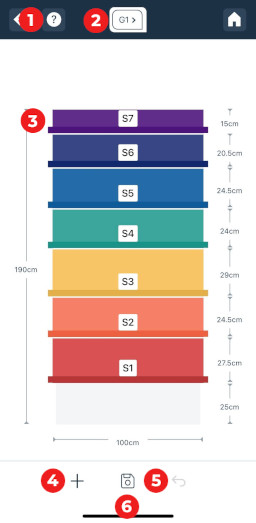
Once you navigate to the Edit Gondola mode, you will see a visual representation of the selected gondola, including its dimensions, and the height of each shelf.
From this screen, you can perform the following actions:
-
View instructions: Select to see a quick guide.
-
Select the gondola to edit: Make sure you are editing the gondola of the proper store.
-
Select the shelf to edit: Edit the height of each shelf, or remove the top one.
-
Add a new shelf: Add a new empty shelf to the gondola. To add a new shelf, the current top one must be at least 30cm high, to allow for a space for the new one.
-
Revert changes: Revert unsaved changes.
-
Save changes: Select to update the changes in the system. Once done, make sure that you edit the planogram of the gondola accordingly.
Edit shelf
Once you select the shelf, you can edit its height measured as a distance from the shelf below.
You can either input the exact height of the shelf, or increase/decrease it using arrows.
We recommend that the shelves should have at least 25cm of height to allow for a proper recognition of products from the cameras installed in the store. Anything below that may negatively impact accuracy of the OASIS system.
Remove or add shelf
You can also remove the top shelf or add a new one.
-
To remove the shelf, select the top one and click on the delete button. Once you save changes, this will remove the shelf from the planogram.
-
To add a new shelf to the top, click on the “+” button down below. This will add a new top shelf, if there is enough space on the selected gondola - the current top shelf must be at least 30cm high. Now you can specify its height.
Once you save your changes, make sure that you edit the planogram of the updated gondola accordingly.
If you wish to increase the height of the gondola, please reach out to AiFi Support.