Low Inventory
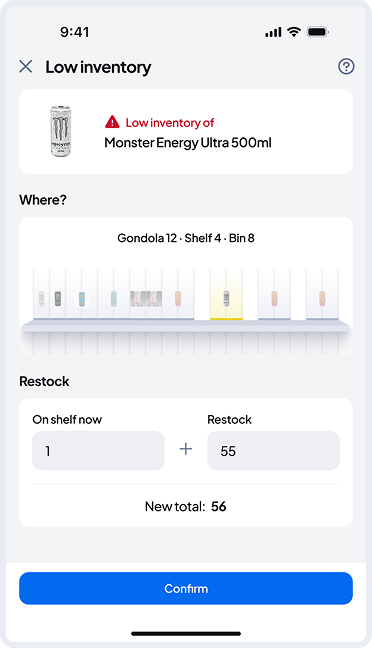
In the Low Inventory details, you’ll see the product’s location.
To restock, enter the number of items you’re adding on top of the quantity currently shown in the bin.
When you tap “Confirm”, the bin’s inventory will be updated, and the alert will be removed from the list.