Misplaced Products
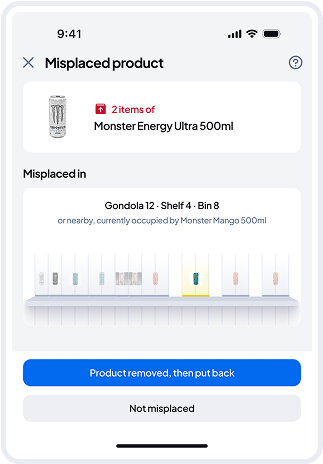
Once you open the Misplaced Products Detail page, you will be asked to physically check whether that product is in fact wrongly placed at the indicated “misplaced location”.
Should that be the case, please remove the item from the misplaced location and click on the “Product removed, then put back” button.
It might also happen sometimes, that a product is perceived as misplaced by the system, however, when you check it physically, there is no wrong item on that shelf. In this case, the operator can just click on “Not misplaced” button. We will use this information to keep on teaching our AI models.