More section
Space status
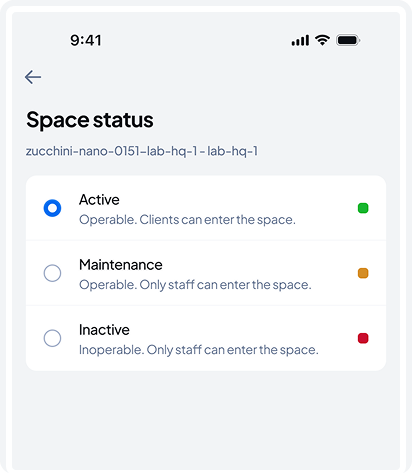
You can set a space status to one of three modes:
- Active – The store is operational and open to customers.
- Maintenance – The store is operational, but only staff can enter.
- Inactive – The store isn't operational; only staff can enter.
Measurement system
Switch between metric and imperial measurement systems.
Theme
Switch between light, dark, or system theme based on your mobile OS settings.
Language
Select your preferred app language from the supported list.
Guide
This guide is always available in this section!
Editing Gondola Parameters
Within the Operations App, you can manage existing gondolas by adjusting the number of shelves and setting their heights. Since AiFi’s computer vision relies on precise shelf dimensions to detect product interactions, accuracy is critical.
Changes are immediately synced with the OASIS system, so make sure to apply them only when no customers are in the store.
Due to the sensitivity of these changes, this view is only available to users with the appropriate permissions set in the AiFi Console. If you don’t see it , please contact AiFi support.
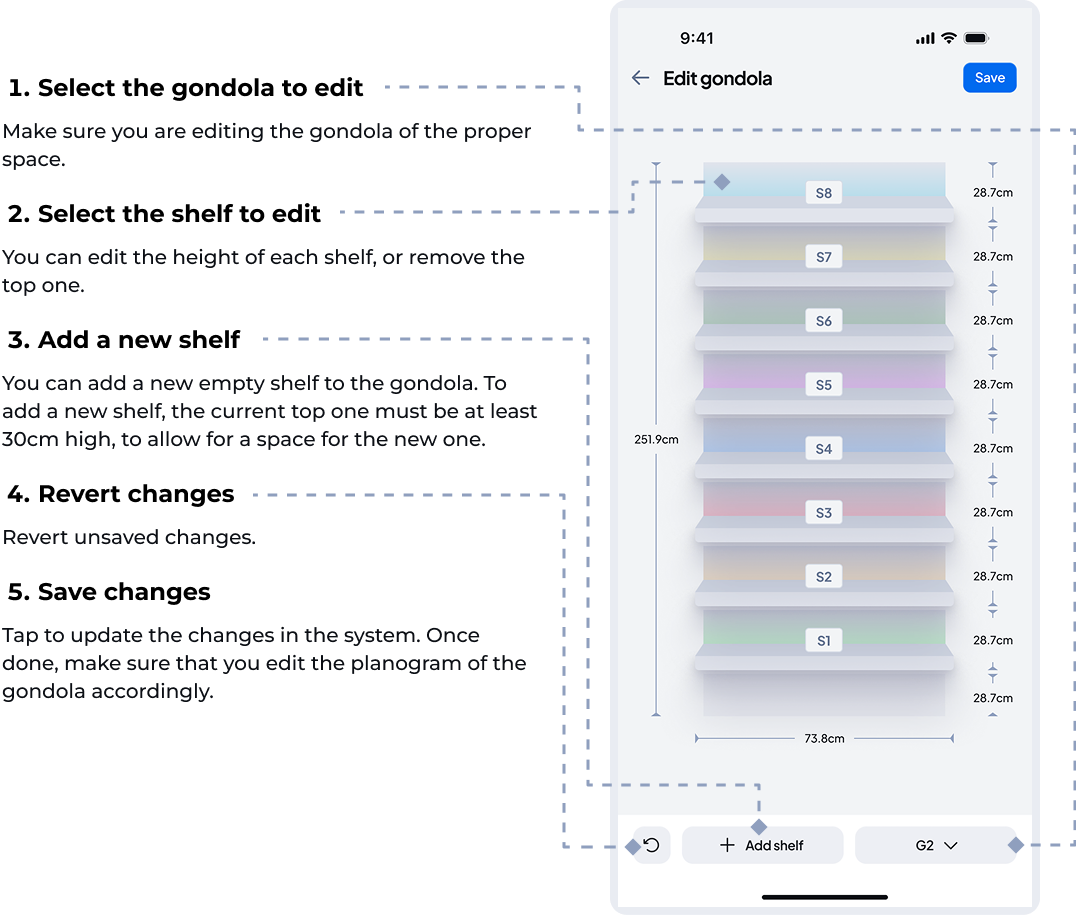
From this screen, you can perform the following actions:
Edit Shelf Height
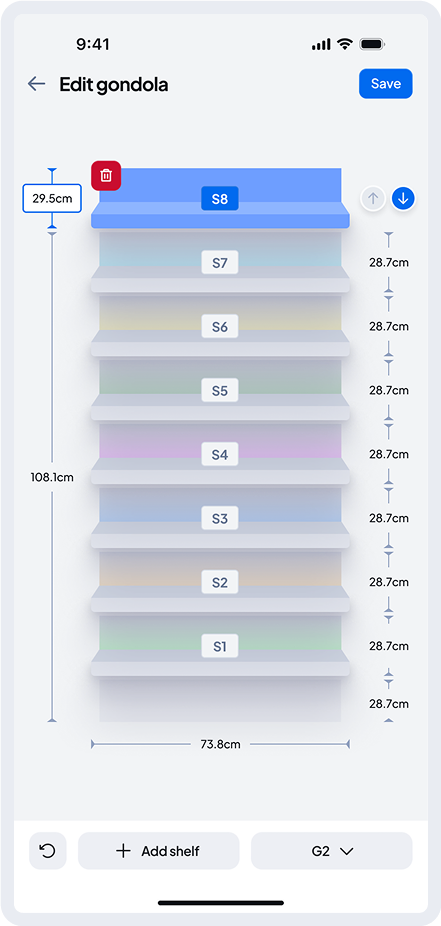
After selecting a shelf, you can edit its height. This is measured from the shelf below. You can enter the exact value or adjust it using the arrows.
We recommend a minimum shelf height of 25 cm to ensure accurate product recognition by the in-store cameras. Heights below this may reduce the accuracy of the OASIS system.
Add or Remove a Shelf
You can remove the top shelf or add a new one.
- To remove a shelf: Select the top shelf and click the delete button. Once saved, it will be removed from the planogram.
- To add a shelf: Click the “+” button below. A new top shelf will be added if there’s enough space — the current top shelf must be at least 30 cm high. Then, set the height of the new shelf.
After saving changes, be sure to update the gondola’s planogram accordingly.
To increase the overall height of the gondola, please contact AiFi Support.