Managing Planograms
Shelf View
To open the Shelf View, tap any shelf in the main Planogram section.
Inventory update
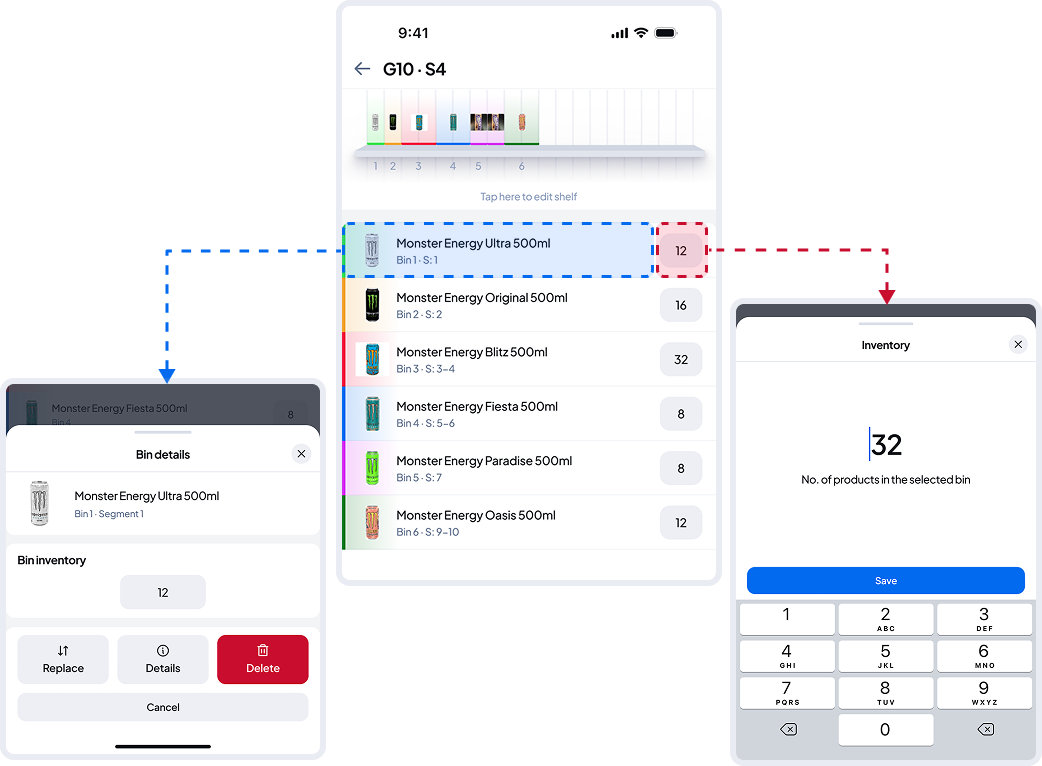
In Shelf View, you can see the list of products on the shelf, their inventory levels, and the bin ranges — all of which can be adjusted in edit mode.
To quickly update inventory, tap the inventory field on the right side of any product in the list — no need to enter full edit mode.
You can also tap the rest of the product cell to access more options, such as viewing product details, deleting the bin, or quickly replacing it without editing bin sizes.