Planogram Check
Sometimes, our system detects that something might be wrong with a specific shelf or gondola.
In this step, you need to physically check the store to ensure that the product types and their placement on the shelf are correct.
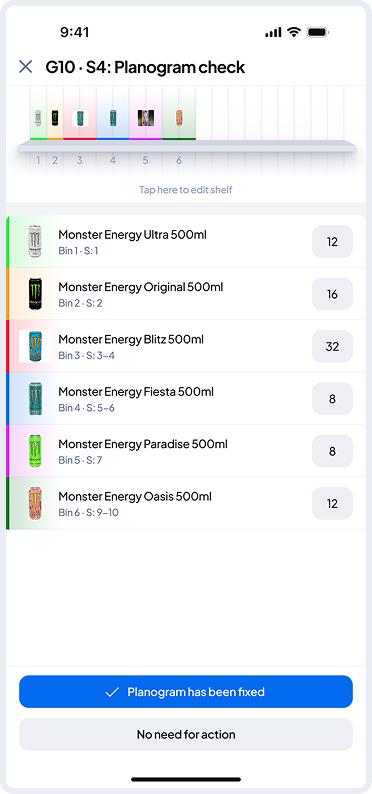
If something is incorrect, you can use the Shelf Editor - tap the top mini shelf view to adjust bins or use the inputs in the list below to update inventory.
Once everything matches the planogram, tap “Planogram has been fixed.”
If no changes were needed, tap “No action needed.”