Reports page
The AiFi Reports page allows you to export detailed data on your sales in a .csv format, enabling deeper analysis of your stores or reconciliation of sales and taxes.
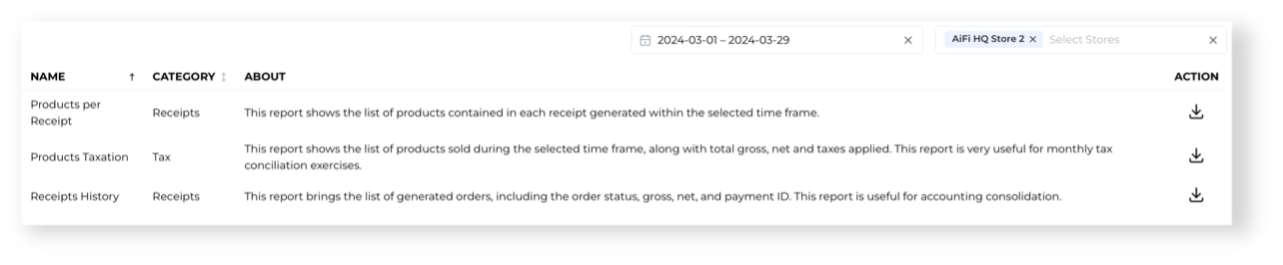
Available Reports
Receipts History
Contains every receipt from the specified time frame, showing details like the date, store, status, payment details, total tax and any adjustments made.
Products per Receipt
Includes every product sold in each receipt within the selected time frame, featuring details such as the Order ID, product barcode, and the tax applied to that product.
Sales by Product
Provides aggregated financial data of products sold, including total quantity sold, total gross and net prices, total tax applied, and any adjustments made.
Sales by Store
Generates a summary of key store performance metrics, such as receipts, revenue, and net sales for the selected stores over the specified time frame.
Sales by Card Brand
Generates a summary of key sales and payment performance metrics for used payment methods over the specified time frame.
Tax Summary
Provides a summary of taxes collected, showing the tax name, rate, and total amounts across transactions within the selected timeframe.
Exporting Reports
To export a report, select the desired time frame and stores, and click on the download icon.

Feedback and Suggestions
If you have requests for additional report types or want to see more information included in the existing reports, please let us know. You can reach out to us at support.aifi.com or by contacting product@aifi.com.