Applications / Client Credentials
The Client Credentials feature is available starting from OASIS version 6.3.0. For older versions, please use an API key instead and contact support to request one.
Overview
This guide explains how to authenticate with AiFi APIs using OAuth 2.0 through a self-service application and credential management. Developers and retailers can create applications in the AiFi Console, generate client credentials, and obtain access tokens without needing to submit support requests.
Accessing the applications dashboard
- Go to https://console.aifi.com and sign in with your retailer account.
- Use the store switcher at the top of the page to select the store you want to configure.
- In the left-hand navigation, select Settings → Applications.
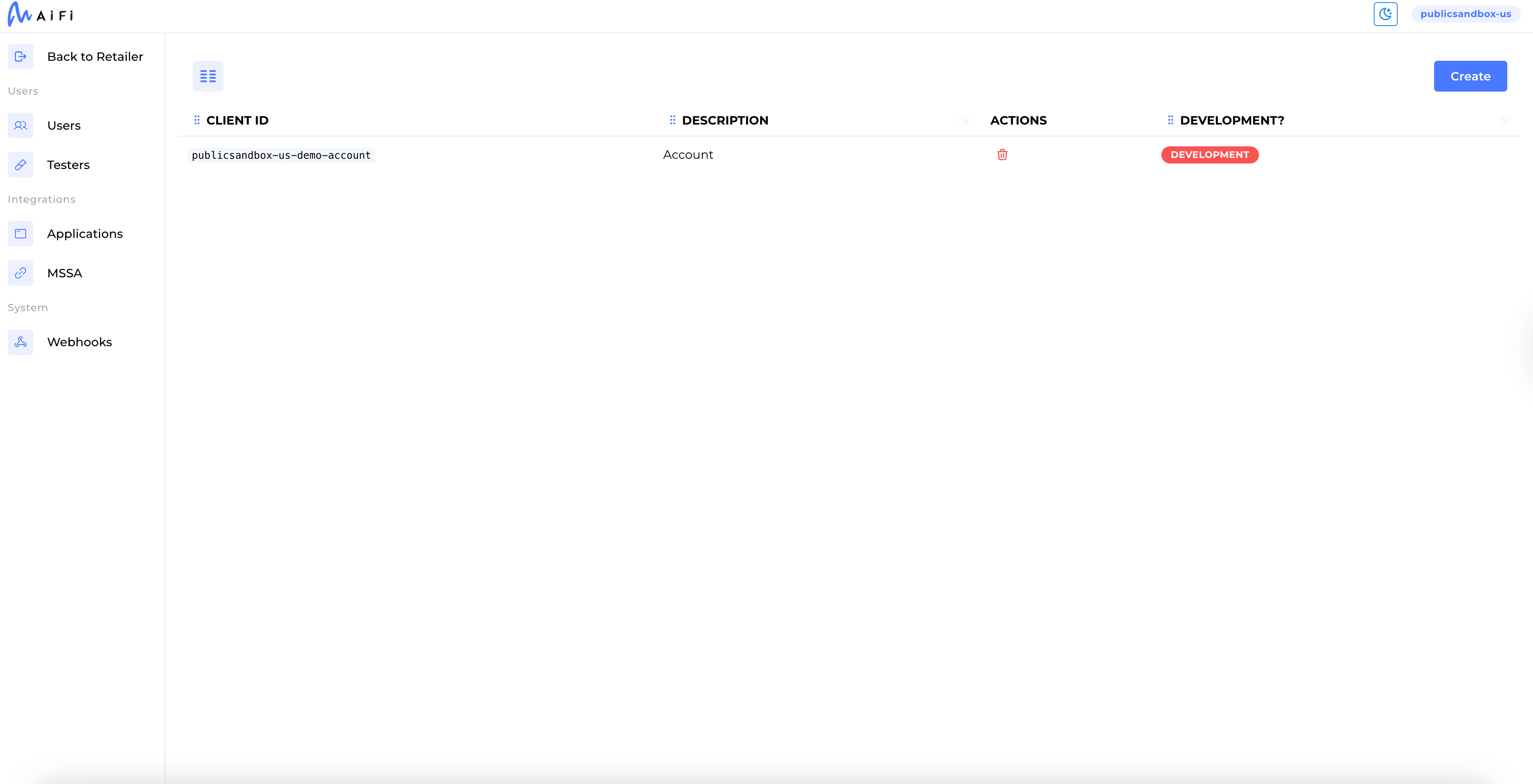
Creating a new application
On the Applications page, select + New Application.
Fill in the following fields:
| Field | Description |
|---|---|
| Description | A human-readable label (for example, Backend Service). |
| Client ID Suffix | A short string to uniquely identify this app (for example, order-service). |
| Development | Enables special capabilities for testing, such as simulating checkouts or zone interactions. This should be turned off for production apps, which are required in live environments. |
The full Client ID is automatically generated by using your retailer ID and the suffix:
sandbox-\<retailer-region\>-\<retailer-id\>-\<client-id-suffix\>
For example:
sandbox-us-retailer-store-dev-test
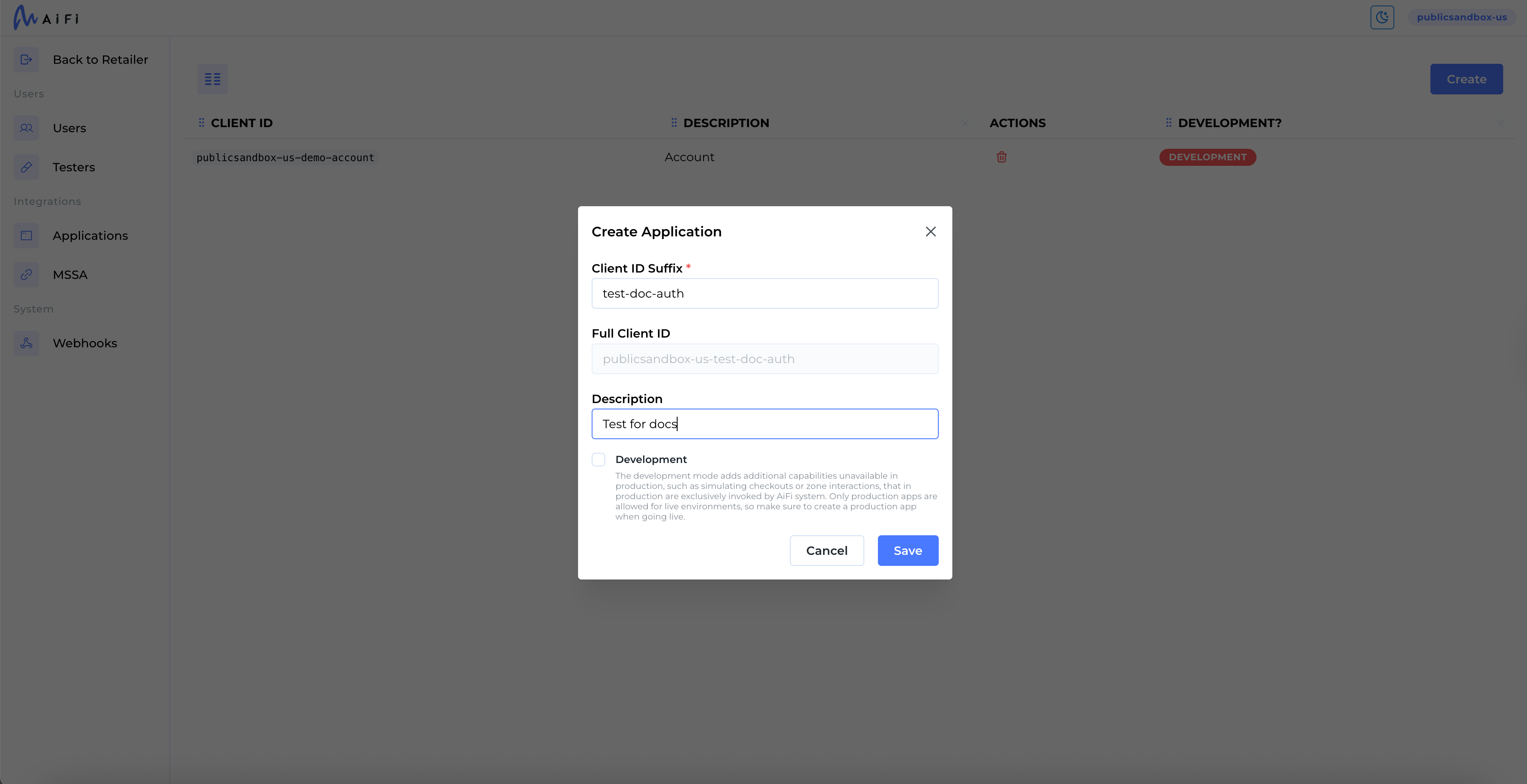
The Client Secret is shown only once. Copy and store it securely. If it's lost, you must generate a new application.
Use the Copy button next to the secret field to prevent copy errors.
Getting an access token using OAuth 2.0
Use the Client Credentials Flow to generate an access token.
curl -X POST \
  https://auth.aifi.com/realms/aifi/protocol/openid-connect/token \
  -H 'Content-type: application/x-www-form-urlencoded' \
  -d "client_id=<CLIENT_ID>&client_secret=<CLIENT_SECRET>&grant_type=client_credentials&scope=openid"
Example response:
{
  "access_token": "eyJhbGciOiJSUzI1...",
  "expires_in": 300,
  "token_type": "Bearer",
  "scope": "openid"
}
Making an API request using the token
Use the access_token in your request with the Authorization header.
curl --location https://oasis-api.public.sandbox.oasis.aifi.com/api/admin/v2/products \
  --header 'Content-Type: application/json' \
  --header 'Authorization: Bearer <ACCESS_TOKEN>'
Differences between environments
| Environment | URL Pattern | Description |
|---|---|---|
| Public Sandbox | https://oasis-api.public.sandbox.oasis.aifi.com | Shared, and resets every 48 hours. Use for lightweight testing. |
| Retailer Sandbox | Retailer-specific domain | An isolated test instance created with your AiFi Account Manager. Mirrors production behavior. |
Enable the Development flag when creating applications for test environments. Development mode allows additional capabilities, such as simulating checkouts or zone interactions, which are normally handled only by AiFi systems in production.
Only production apps are permitted in live environments. Be sure to disable Development mode when deploying to production.
End-to-end example
1. Create an application
- Description:
Loyalty Service - Client ID Suffix:
loyalty-service - Development: ON
Generated Client ID:
retailer-1234-loyalty-service
Client Secret:
***visible once only—copy securely***
2. Generate an access token
curl -X POST \
  https://auth.aifi.com/realms/aifi/protocol/openid-connect/token \
  -H 'Content-type: application/x-www-form-urlencoded' \
  -d "client_id=retailer-1234-loyalty-service&client_secret=abc123secret&grant_type=client_credentials&scope=openid"
3. Call an API
curl --location \
  https://oasis-api.public.sandbox.oasis.aifi.com/api/admin/v2/products \
  --header 'Content-Type: application/json' \
  --header 'Authorization: Bearer <ACCESS_TOKEN>'