Stores page
The Stores page allows you to edit details and configurations of your stores and monitor their performance. To manage a store, select it from the list to open its details.
On the Stores List, you can search for a specific Store ID or External Store ID and filter stores by their operational or deployment status.
Store Dashboard
Upon selecting a store, you will be presented with its dashboard view. The dashboard provides an overview of the main details, connected hardware, operational actions, and sales performance of the store.
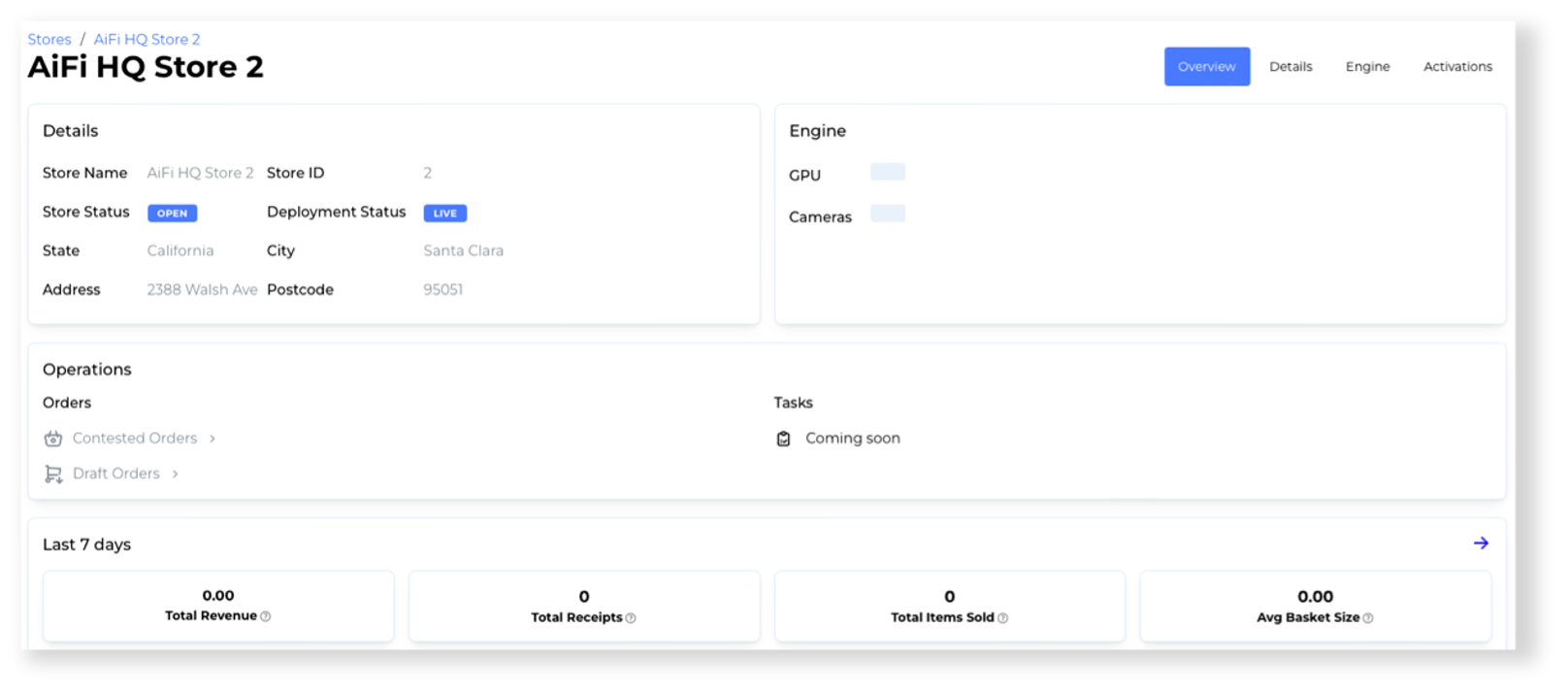
Not all features might be available yet. Additional features, such as planogram management, will be announced soon.
Store Details Edit
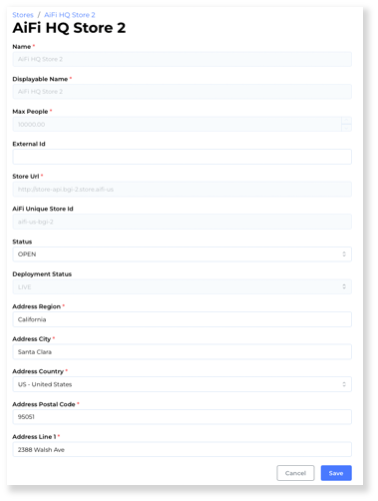
Select the Edit button on the Stores List or open the Details section of the store dashboard to manage the details of your store. On this page, you can:
- Edit the displayable name and external ID of the store used across AiFi Apps.
- Change the store status to open or close it for customers.
- Set the address of the store for the purpose of receipts and taxes.
- Check the store URL and ID used in the API connection.